And now for something…

Hello, my names _ _ _ _ and I’m a Radio Shack Nostalgic!
Shockley and crew.
I’d like the above on a T-Shirt!
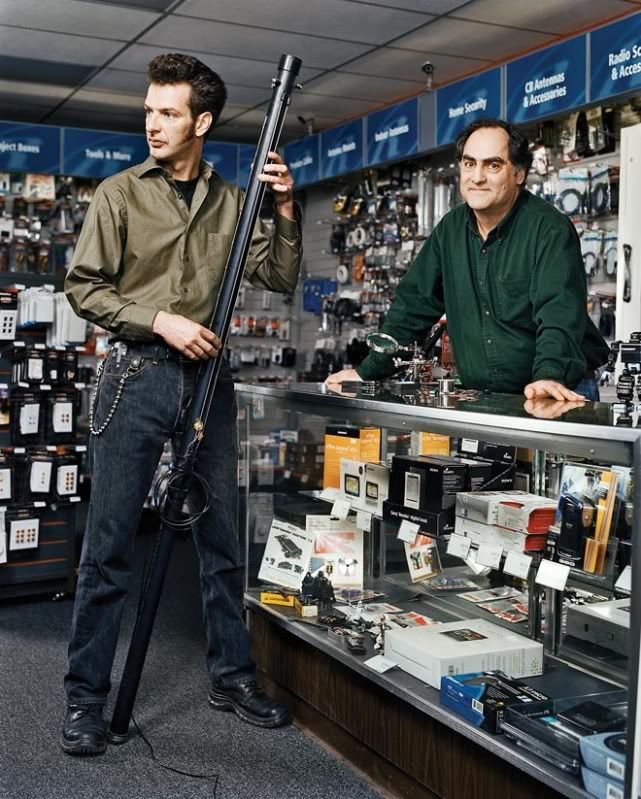
The lost tribes of Radio Shack
Yahhaha!
Please read the article before you read what I’ve written below… just advice and you can, of course, make up your own mind.

I really liked that article even though I know this stuff, we all do, but in the avalanche of it’s repercussions, the fact we all know is hardly ever mentioned. But I don’t really think it’s anything to get too concerned about, I mean it’s wasteful and kinda stupid, but, by the same token, I think it’s merely a passing phase, and adjustment of sorts as western societies find their way into a new phase of living in the world.

While the components disappear of these previous ages of DIY we have to acknowledge that the consumer culture of electronics has actually made a whole lot of things possible that weren’t when Computers and Film and Audio equipment were specialized items only available to the Big Boys. Thats all changed and while we may be losing the nuts and bolts, or at least seeing diminishing supplies and suppliers, of DIY activity the internet and cheaper and cheaper top quality equipment has created a whole undercurrent of abilities that will definitely have their day… in the not too distant future I would surmise. Whether or not the audience will increase to allow this counter culture to grow in a way we might understand as required is another story and not one I’m going to go into but it doesn’t really matter whether it grows or not. The point is that the article is symtomatic of a transitional stage in modern culture and I think the important thing to be looking at is the fulcrum point of those two supposedly divergent areas of development.

One being consumerism and the other being the creative “industries”. They are much alike the struggle that was the Unions back in the day. The argument of Unionism was to collectivise and to take that a little further is the notion that if the creative sector where to survive in and of itself, without needing the big bucks investments from the other pole, then eventually the other pole would have to run on its own fuel… and pop will eat itself!

And now the desktop…

Seems like the Laptops underway and I’m now looking at doin’ the desktop. Back’dup all the info I’ve had on it and put it on a USB harddrive as well as storing the firefox bookmarks and getting an add on to be able to copy the passwords. Also burned an XP.iso on to a CD so I’m basically ready to do the installs. All I gotta do now is list all the hardware and find XP drivers for it, as the ones I have are for 98SE and even though I can extract and store those, they may not be what I want. Soon as I’ve done that and burnt them I’ll be ready to reboot from the XP disc, load it up, defrag it, then repartition under the Linux load and install that as well.

Just a little more research to do with open SuSe, not hardware compatibilities, but with any Linux software I’d like on both machines.

Basically the desktop is my realworld internet workhorse and the laptops my audio visual workstation but there’ll be some interaction as any downloading and uploading’ll happen on the desktop, and relevant sorting out of files into formats for use, then swapping across to the laptop to be played with. Hmm…

The learning curve isn’t so steep after all, but learning to take things slowly and do research, thats a new ballgame.

Getting used to Ubuntu.

I can’t remember what I wrote last time but I think I was on my second install. Now I’ve done the third and it seems alot more stable. I had a bunch of problems on the second after a few add ons to firefox. Whether they were the problem I don’t know but suffice to say I just did another install. Once it was installed I updated straight away and once that was done I went to Ubuntu Studio 10.04 and the whole thing took about 6-7 hrs including the 3.5 hr download of 10.04. This happened at night to about 2.30 in the morning and after the download the computer wan’t another 2 hrs to install so I left it running and went to bed.

I suppose thats a good sign, eh? The fact that I’m happy to let Linux do it’s stuff entirely without me in evidence. So in the morning there it was all set up and ready to go. Then I went back and did the hardware devices and downloaded the Nvidia graphics and that installed this time without a hitch. Now I’ve kinda learned that with a new OS it’s an idea to go back to the beginning and instead of leaping into the OS like you know PC’s inside out and do add ons and plug ins to see what happens its actually a better idea to work into things a little slower. Last night I spent most of my time in preferences remaking the window colours and then downloading backgrounds to get the work surface nice and suitable for what I want. Okay, thats only comsmetic but I think the fact I’m no computer whiz and I know nothing about command lines means that me and the PC need to spend some time on the surface getting to know each other.

So instead of me standing on the surface and issueing these big commands that send streaks of lightening down into the core kernel I’m most probably better off acheiving stability in ways that I understand in real life. Basically that means getting to know the ‘puter on it’s surface and then as intimacy developes it’ll let me in deeper and respond in ways that suit us both as we’ll have developed a bond and feel safe and secure in each others presence. I mean without the actual knowledge of making this machine do what I want, as in master and slave, I have no other choice but to treat it like a friend and hope we become lovers in the not too distant future.

So the plan now is to take my time and watch a bunch of DVD’s on it, listen to some of my favourite CD’s and watch some youtube vids given to me by my good friend John about various scientific geniuses. Also I’ve got a set of ‘puter speakers that I got for a few bucks that upon opening seem to have a nice little amp in there so I’ll hook those up as the first hardware to the outside world. Once some of this is under way I’ll make tentative jumps into the audio hardware and do a little playing about with drum loops and suchlike… I think it’ll work!

Meanwhile I’m reading this book about Ubuntu

Plus I’ve joined the requisite forums to get help when needed

And now this’ll be required reading as well

So doing some reading above the first thing one has to do is get Jack going properly.
Jack’d is the underlying connectivity of all the audio so getting that up and running is paramount.
jack'd
Heres the page detailing the things one does

Ubuntu Boy.

Last night I had a spare hour or so and decided to load the Ubuntu Studio DVD on my laptop. No internet connection while loading and I made a mistake about what programs were loaded so this morning I did it again. Plug in the power supply, attach the DSL cable and hit F12 on startup, choose disc boot and slid in the DVD.

All went swimmingly, got all the programs installed and immediately got on the internet without having to know anything or fill out anything. During the loading I was asked for a proxy server but I just ignored that and carried on… so I guess I don’t get served by proxy.

Linux OS’s are constrained by law to be able to carry some proprietary codecs for video and sound but all it means is a little extra setup after the OS is loaded. I tried a DVD and it wouldn’t load so I went to the help menu and the links to the needed files are within the help file so they loaded easy and then a little typing into another program, while still having the help menu open… try doing that in Windows, and push enter and DVD’s played.
Initially it’s kinda weird how Linux works but it soon becomes obvious how easy and well thought out things are. I’m just new to laptops and the windows sliding bars, with the arrow buttons, at the side of windows to move the pages up and down are a pain in “Windows” with one at the top and one at the bottom. In Linux they are both at the bottom and that makes things so much easier. And when you do something wrong in Linux….nothing happens! You know how one can get into lots of trouble in “Windows” if one inadvertantely goes the worng way or pushes the wrong button, well it won’t happen with Linux, you can’t do things wrong and even if you do you just do the right thing and your back on track.

Theres this thing called mounting in Linux where a CD or DVD thats loaded won’t autorun, it needs to be mounted first, either in the my computer menu or by opening the program you want to run it. Then when you finish or quit it won’t eject, manually or within the software, until you unmount it then either eject it manually or in the software. Might seem a little complicated but it means alot as far as having choice about how you want to do things. Even with my limited experience I’m thinking I’m going to get the hang of Ubuntu real quick simply because it echoes my own practises. Consumer electronics aren’t the same as professionally specific electronics… the same seems to go with Windows and Linux… so I’m supposing that what the Apple geeks were on about for so long… is what Linux is doing for the PC, and possibly more so as they’ve been able to learn from both!

So next fire up I’ll do music CD’s, utube vids and mp3’s etc.

And what a gorgeous desktop. Well, not exactly gorgeous but alot more hopeful than anything under the commercial applications.
Ubuntu